Hello everyone,
Our lab was recently reorganized, and we have set up a Zeiss LSM 800 with an Airyscan detector. After some effort, we located the original control computer that was in storage and are now facing a communication issue.
Here is a summary of our setup and the problem:
System Components:
Microscope: Zeiss LSM 800 with Airyscan
Software: ZEN 3.3 Blue
Connection: USB CAN bus
The Problem:
The computer connects to the microscope via USB, and we have basic control over the microscope stand (e.g., moving the stage, changing objectives) through the ZEN software. This part seems to work correctly.
However, we are completely unable to use the confocal functionality. When we try to switch to the confocal mode or initialize the LSM components, we get an error in ZEN.
Error Message:
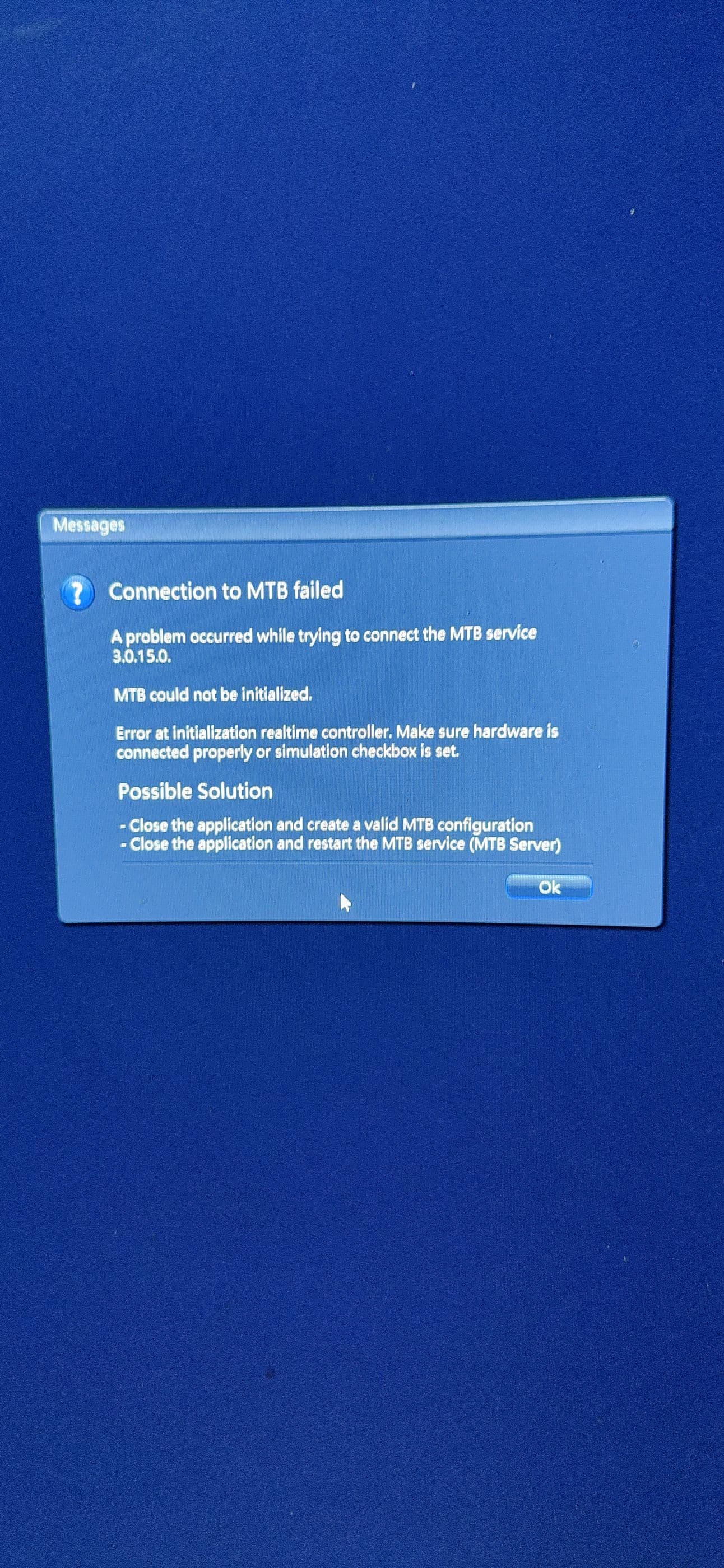
The error message we receive is shown in the attached picture. The key text is:
[MTB could not be initialized.]
or
Troubleshooting Steps Taken:
We ran the Zeiss CAN check software. This tool detects all the LSM 800 components, and the status for every module is “OK”.

We have identified a specific trigger: The error message in ZEN appears immediately when we try to switch or toggle the ‘IO-card’ in the MTB (Microscope ToolBox).
Our Question:
We are facing a very strange situation where the low-level hardware check (CAN check) shows that all components are fine, but the ZEN software itself cannot communicate with the LSM components to enable confocal imaging.
Has anyone encountered a similar issue before? We would be extremely grateful for any advice on what to check next. Could this be a software configuration issue, a driver problem, a specific setting in MTB, or something else we are missing?
Thank you in advance for your help!